Guide
How to use BF Clerk POC (v0.1, build 2026-05-16). Screenshots track the portal theme — toggle the sun/moon in the header to flip the guide images too.
What BF Clerk does
BF Clerk pre-fills Malaysian financial-services forms (subscription, switch, redemption, suitability, application) using:
- Qwen3-VL vision for form-field schema extraction (admin) and name-card OCR (RM)
- DeepSeek deepseek-chat for field mapping, risk scoring, and Section 5 recommendation drafting
- pdf-lib coordinate-overlay fill — no AcroForm requirement, works on any PDF
Flow A — Admin template intake
One-time setup per form template, in this portal.
1Open Templates and start an upload
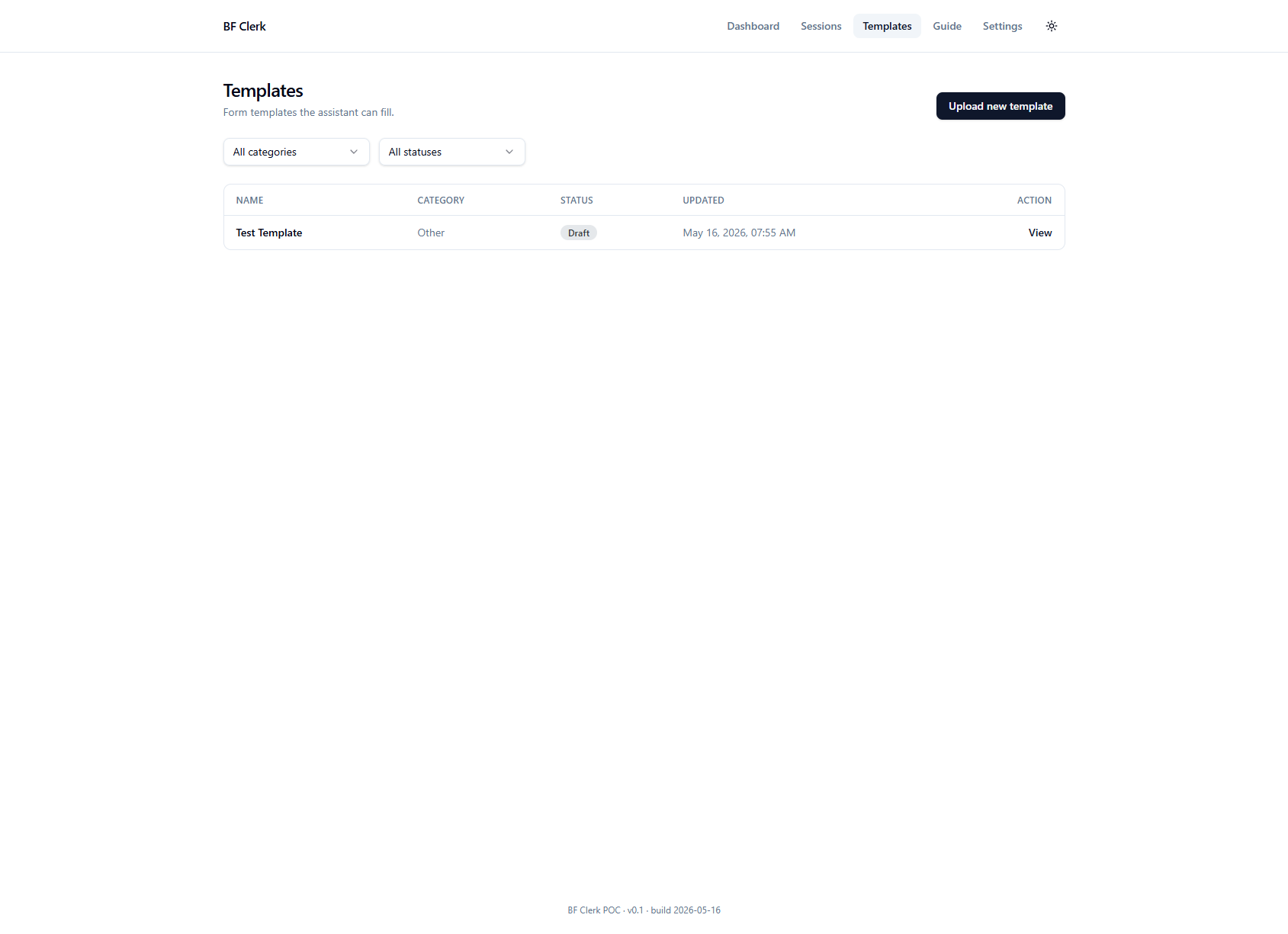
Open Templates and click Upload new template in the top right.
2Drop the PDF, name it, pick a category
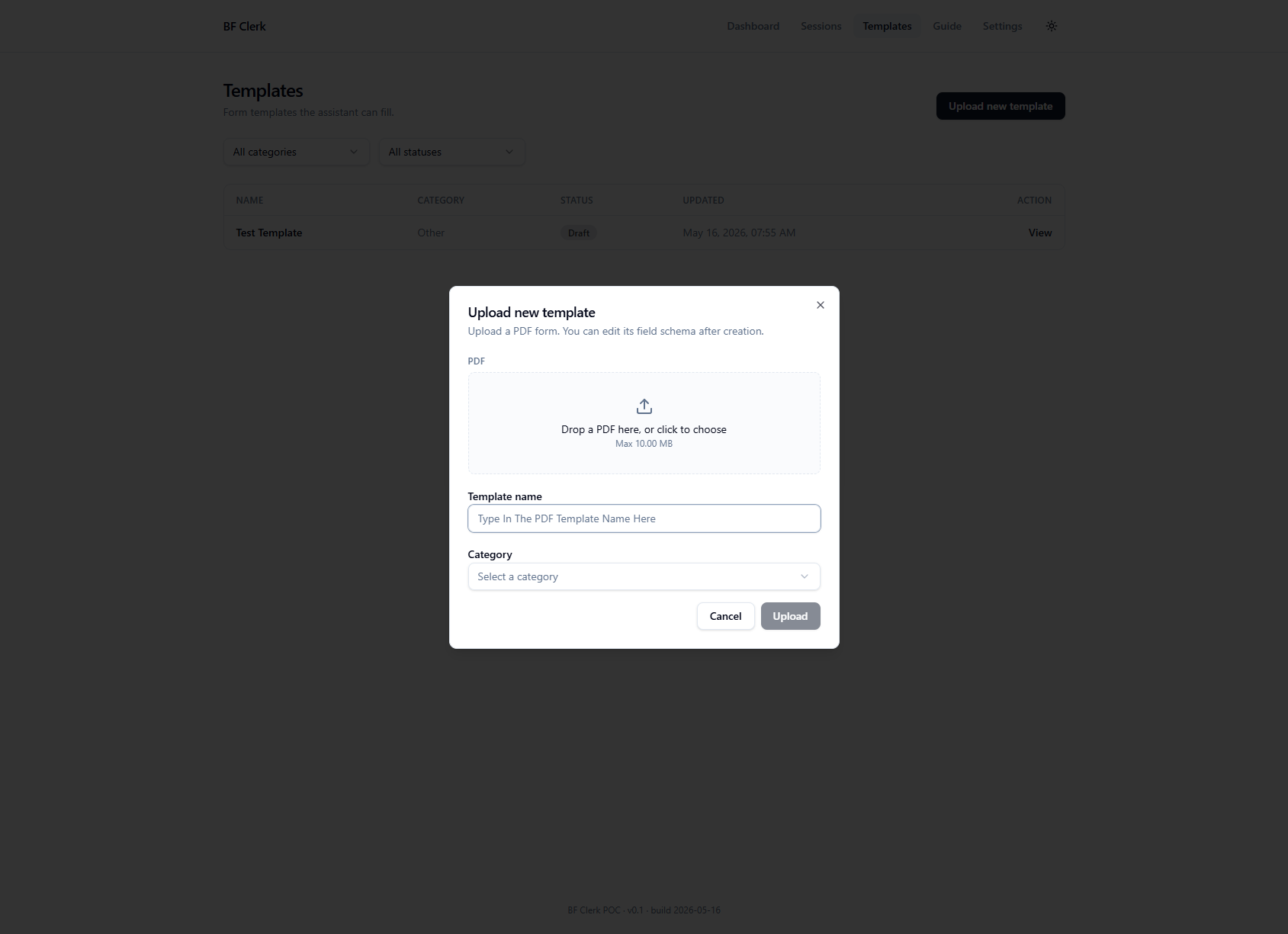
In the modal, drop a blank form PDF (or click the drop zone to choose), give it a descriptive name, and pick a category. On submit the portal renders each PDF page to a high-resolution PNG and uploads them to storage in the background.
3The AI Wizard auto-fires
On the template detail page, the wizard fires automatically for fresh drafts: Qwen3-VL reads each page and returns a per-field schema with proposed bbox positions, multi-choice cluster IDs, and name-card source hints. Typical run is 30–90s. To re-run later with different settings, use the buttons in the header.

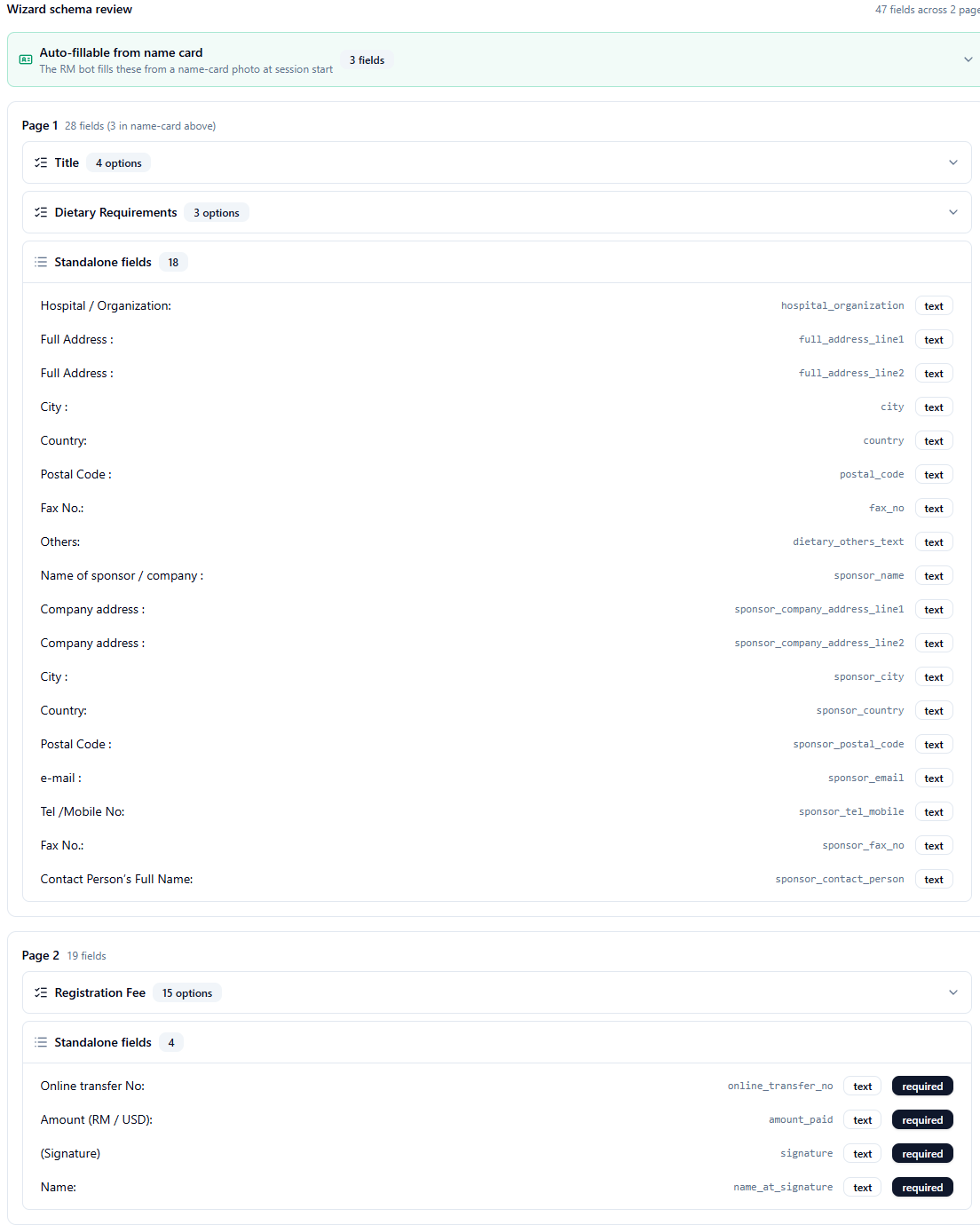
4Review the schema in the Wizard panels
The Wizard schema review section organises the extracted fields with tight grouping: cross-page bundles at the top (name-card-derivable + duplicate-page repeats), then per-page sections containing multi-choice clusters and standalone fields. Per-page counts include any fields that were lifted into the cross-page bundles, with a breadcrumb (e.g. "3 in name-card above") so the math adds up against the Coord Mapper.
5Verify and nudge in the Coordinate mapper
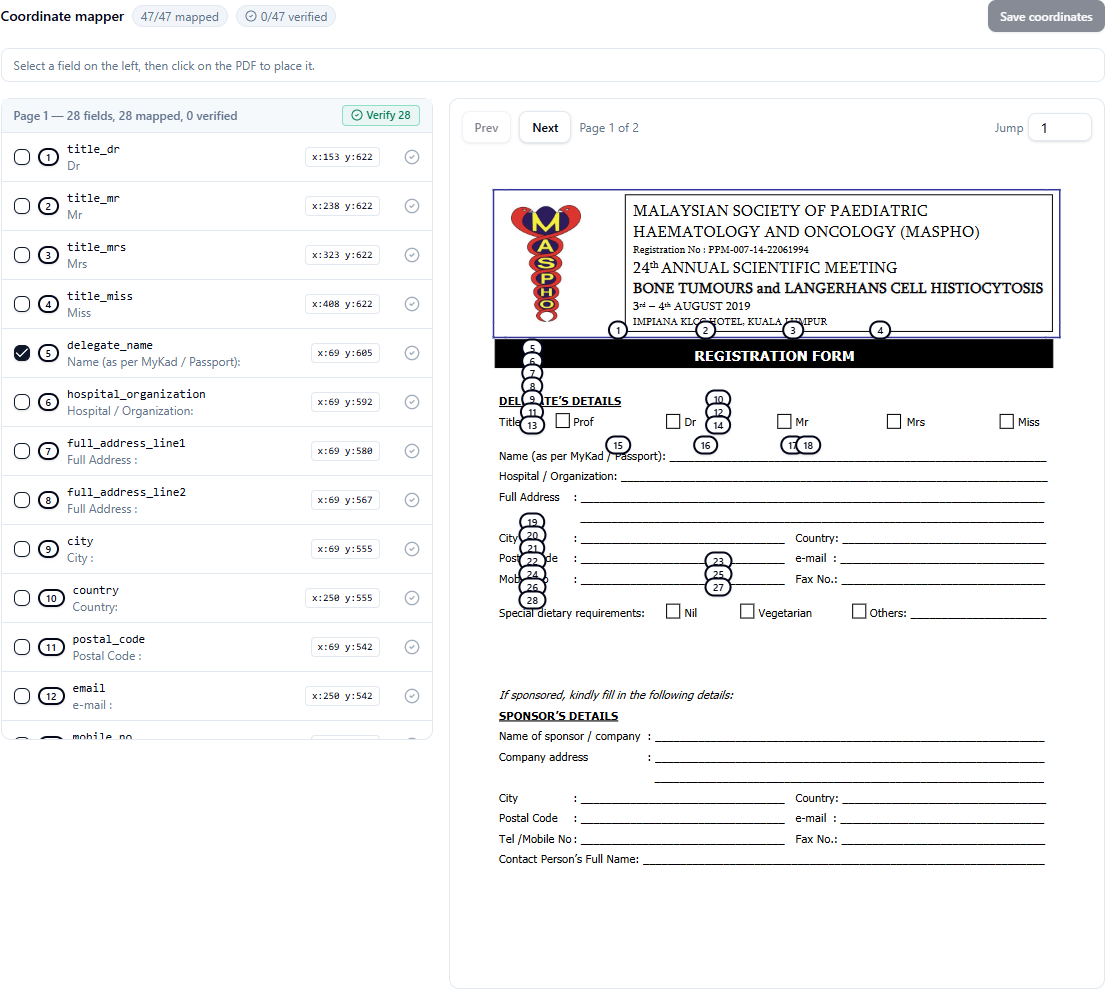
Each field has a numbered badge pre-placed on the PDF preview at Qwen's proposed position. To nudge: click a field on the left, then click the PDF where the badge should sit. To verify: hit the green check on each row, or click the per-page Verify N button to mark all mapped-but-unverified fields at once. Nudging a verified field resets it back to unverified — the new position needs a fresh look.
6Mark the template as active
Once the schema looks right and you're happy with the coordinates, click Mark as active in the header. The template is then selectable by RMs in the Telegram bot. You can flip back to draft any time to keep iterating.
Need to rename a field, change its type, or toggle required without re-running the wizard? Open the Advanced editor disclosure below the Wizard panels for a flat-table editor.
Flow B — RM form filling (Telegram)
In progress The Telegram bot integration is being wired up. Screenshots will be added once the bot is live. Planned flow:
- RM sends a name-card photo to
@BFClerkBot. - Bot OCRs the card (Qwen3-VL) and asks "Which form?" with inline buttons listing active templates.
- RM picks a form. Bot computes missing fields against the template's schema and asks for them one at a time. Multi-choice fields use inline-button keyboards; free-text fields take typed replies.
- When complete, DeepSeek maps fields to coordinates, scores risk (1–5), and drafts the Section 5 recommendation.
- pdf-lib fills the PDF via coordinate overlay. Bot sends the filled PDF back to the RM, then asks "Email to client at <OCR'd email>? YES / NO".
- RM taps YES → email_sender delivers to the client; session marked completed.
Stack
- Frontend: TanStack Start on Lovable (React + Tailwind)
- Backend: TanStack server functions on Cloudflare Workers via Lovable Cloud
- Data: Lovable Cloud's managed Supabase (Singapore region)
- Vision: Qwen3-VL-235B-A22B-Instruct via Alibaba Cloud Model Studio (Singapore)
- Text: DeepSeek deepseek-chat (non-thinking)
- PDF: pdfjs-dist 5.4.296 (browser render) + pdf-lib (server fill)
What's next
- Telegram bot wiring (server fns 5–11)
- Portal-driven manual fill (alternative to Telegram)
- Email-confirmation step before client send
- End-to-end demo with the Kenanga Suitability Assessment form